Easy for parents to monitor their child’s activities on their iPhones and keep them protected from any harm.
Track Location
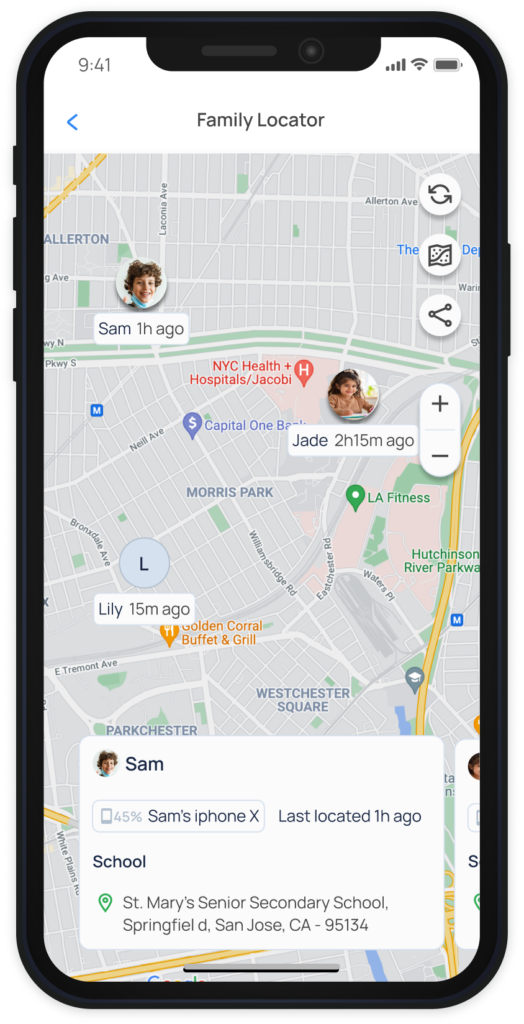
Instantly track your family’s location using the Family Locator
Share your real-time location with your loved ones
Set Geofences to stay within a safe location boundary and receive instant alerts
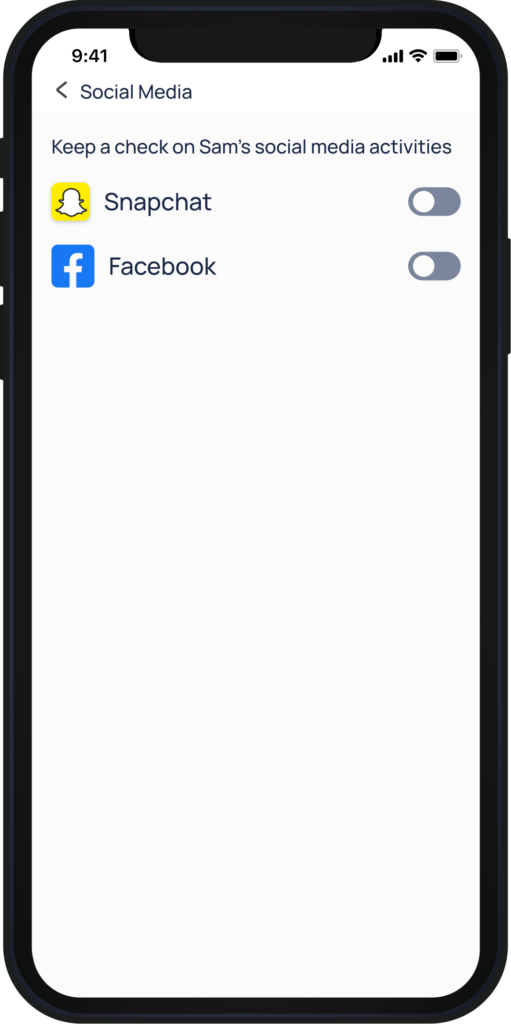
Monitor Social Media
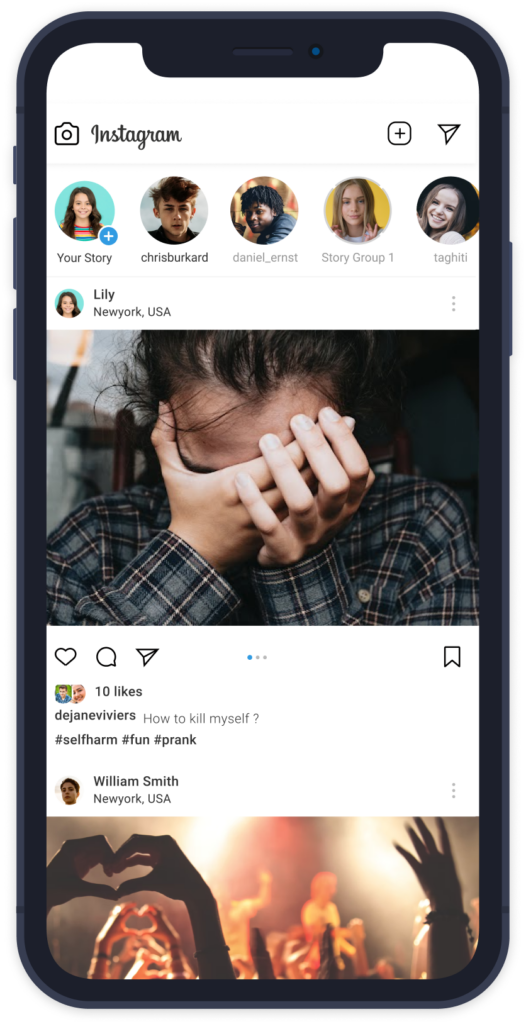
Receive real-time alerts on harmful conversations in your child’s social media
Block social media apps to prevent cyberbullying and predatory attacks.
Filter Web Content
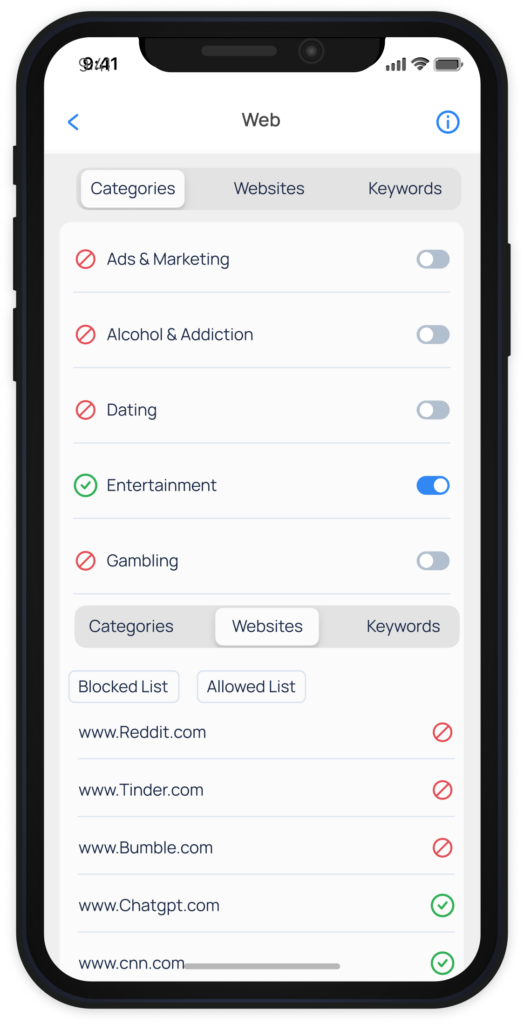
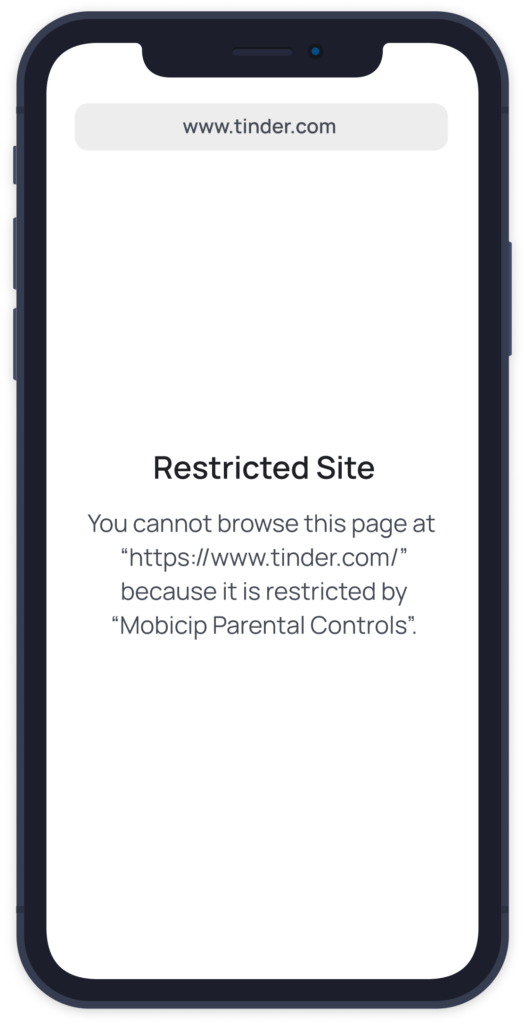
Block inappropriate websites and filter browser content
Block adult and pornographic websites
Allow only safe YouTube content
Allow access only to whitelisted websites
Block Apps
Ensure access to fun and educational apps
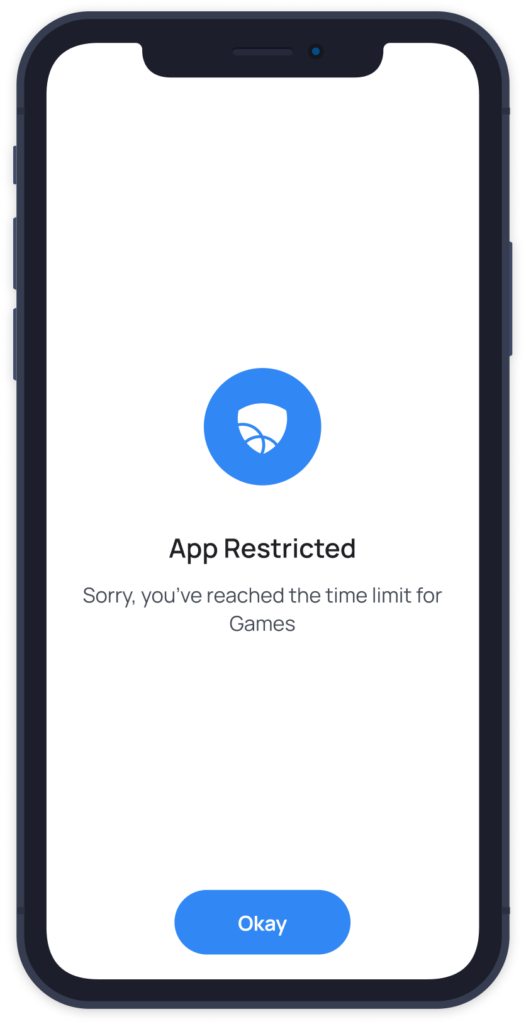
Restrict access to distracting apps and social media
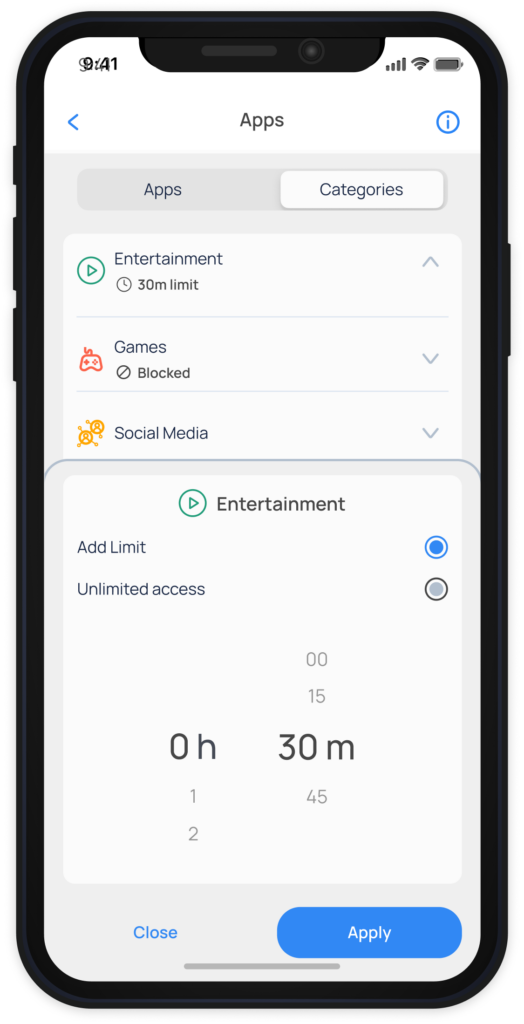
Set App Limits
Set daily usage time limits for apps to stay productive
View Daily Activity Summary
View insights on how your child spends their time online
Check screen time used, locations visited and browsing history
Teach Self-Regulation
Your child can view screen time usage history on their dashboard
Approve additional screen time and access to specific apps upon request
Uninstall Protection
This feature requires a parent’s iTunes credentials to remove the Mobicip app, preventing children from bypassing the controls.
Mobicip’s uninstall protection feature gives it an edge over other parental control apps for iOS devices and ensures the child’s safety is not compromised while giving peace of mind to parents.
How to Set Up Mobicip’s iPhone Parental Control
Follow our easy setup guide
Download
Sign up
Create username & password
Configure
Setup your family devices
Monitor
Monitor online activity
iPhone Parental Controls Installation Video
Mobicip - #1 Rated Parental Controls for Apple iPhone
Why Mobicip Parental Control App for Your Child’s iPhone?
Keep your child safe anytime, anywhere.
Mobicip protects your child from cyberbullying and other forms of online abuse by filtering and blocking inappropriate content and social media conversations.
Remotely monitor online activities.
Remotely manage your child’s online activities using powerful monitoring features. Address potential risks or behavioral concerns using an intuitive dashboard with real-time insights.
Build healthy digital habits.
Mobicip provides customizable web filters as well as age-appropriate browsing options. Set up your child’s internet access based on age and maturity level to ensure a balanced digital lifestyle.
#1 Preferred Parental Controls on iOS.
Most reliable parental control app available on the iOS app store with regular updates on Apple’s constantly changing screen time and parental control features.
Voted #1 Parent-Approved and Top Rated
Honoring Excellence
Gold Recipient
Trusted Provider
Satisfaction Guaranteed
I’ve been using Mobicip for a few years now to filter web content on my children’s iPhones and overall I’ve been pleased. It’s very easy to use and gets the job done.
Mark Peters, Idaho
Appstore
Mobicip is the best coverage you can have for your family. I receive weekly emails, detailing my kids activities, and even get notified when they try to add an app.
Diana Wright, Edinburgh
Appstore
We used Mobicip for quite a few years while our kids were getting “introduced” to technology. Mobicip served its purpose and helped us teach our kids proper use of the internet.
Jane Thomson, California
Appstore
Kids Protected
2,000,000 +
Apps Blocked
260,000 +
Harmful Websites Blocked
3,300,000 +
The Best Parental Control App for Apple Devices
What is a parental control app for the iPhone?
A parental control app for iPhone is a software that parents use to monitor their child’s online activities and manage within healthy limits. It typically includes features such as app blocking, web filtering, screen time limits, location tracking, and social media monitoring.
Can I monitor an iPhone from my Android device?
Yes, you can. First, set up Mobicip in Parent Mode on your Android device, then set up Mobicip in Child Mode on your child’s iPhone. With Mobicip parental controls, parents can monitor their child’s iPhone, iPad, Android phone/tablet, Kindle Fire, Mac, Windowsdevice or Chromebookfrom any device of their choice.
Can my child uninstall Mobicip from iOS devices?
All parental control solutions available in the market today can be uninstalled or disabled in one way or another. But while Mobicip can be partially disabled on iOS devices, parents will be immediately notified when their child’s device isn’t fully protected by Mobicip. This allows parents to be one step ahead of tech-savvy kids.
Does Mobicip block videos on the YouTube app?
Mobicip allows parents to filter videos, block inappropriate video content and set YouTube parental controls on the iPhone. The latest version of Mobicip works using VPN technology that allows it to filter videos directly on the Youtube app. In addition, Mobicip already filters videos on the YouTube website.